

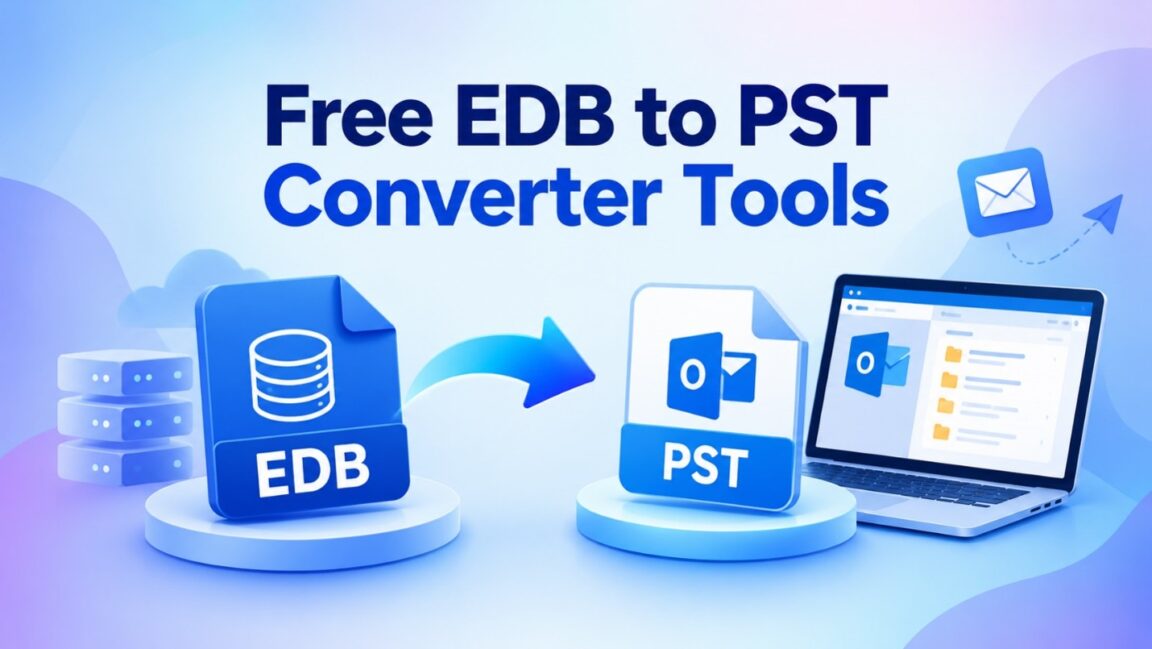
Most “free” EDB to PST converters are not really free. Search for one and you will find dozens of desktop tools that let you scan and preview mailboxes, then stop after 25 or 30 items per folder. That is fine for testing, but useless when you need a full mailbox out of an orphaned or legacy Exchange database.
We reviewed the lists that currently rank on Google, then checked each vendor’s own trial terms. Below are the 5 free EDB to PST converter tools worth your time, what each one actually lets you do for free.
In this guide, you will learn:
- What an EDB file is and when you need to convert it to PST
- How we judged the best EDB to PST converter
- The 5 best free EDB to PST tools, with their real free-version limits
- A side-by-side comparison table
What Is an EDB File and Why Convert It to PST?
An EDB (Exchange Database) file is where Microsoft Exchange Server stores mailbox data: emails, attachments, contacts, calendars, tasks, notes, and journals for every user on that database. Older Exchange versions used Priv.edb for private mailboxes and Pub.edb for public folders.
A PST (Personal Storage Table) file is the format Outlook uses to store a mailbox locally. Converting EDB to PST pulls individual mailboxes out of the server database into files any Outlook user can open.
Common reasons admins need an EDB to PST converter:
- Server is gone or decommissioned. You have an old EDB file but no working Exchange environment to mount it.
- Database is dismounted or orphaned. Active Directory no longer recognizes the database, so native tools cannot read it.
- Archiving and compliance. Inactive or ex-employee mailboxes need to be preserved as PSTs for retention or legal hold.
- Reducing database size. Offloading old mailbox data keeps the live EDB smaller and healthier.
- Mailboxes need to move to a new Exchange Server or Microsoft 365.
- Native export fails. The New-MailboxExportRequest cmdlet only works on mounted databases with the right permissions, and it can stall or error out.
How We Picked the Best EDB to PST Converter
We judged every tool on what you can actually do without paying, not on the feature list of the paid edition. Each tool was scored on these criteria:
- Real free conversion. Can you save a complete mailbox to PST for free, or only preview it or export a handful of items?
- No dependencies. Does it need Exchange Server, Outlook, or a mounted database to work?
- Offline and orphaned EDB support. Can it read a dismounted EDB file from an old or crashed server?
- Exchange version coverage. Legacy (5.5, 2000, 2003) through Exchange 2019 and Subscription Edition (SE).
- Data integrity. Folder hierarchy, attachments, calendars, and contacts preserved, with the original EDB left untouched.
- Ease of use. Can a non-specialist finish the job without scripts or server access?
- Upgrade path. If the database is large, is there a clear next step?
5 Best Free EDB to PST Converter Tools (2026)
1. Stellar Online EDB Converter — Best Overall Free EDB to PST Converter
Stellar Online EDB Converter is the only tool on this list that performs a full EDB to PST conversion for free, with no item-per-folder cap. It is a browser-based service from Stellar, which is a recommended pick in several of the lists currently ranking on Google.
You upload an offline EDB file, the service analyzes it in an automated environment, and you download each mailbox as a separate PST inside a ZIP archive. Stellar says most files convert in under 15 minutes.
What you get for free: Convert one EDB file of up to 500 MB per session, with no credit card. Converted files stay available for 24 hours, then are deleted automatically.
Pros:
- Full mailbox conversion for free, not a 25-item sample
- No software installation, no Exchange Server, and no Outlook required
- Works in Chrome, Edge, Firefox, and Safari on any operating system
- Supports EDB files from Exchange 5.5, 2000, 2003, 2007, 2010, 2013, 2016, 2019, and Subscription Edition (SE)
- Extracts emails, attachments, contacts, calendars, tasks, and notes with folder hierarchy intact
- Preview mailbox folders and item counts before you download
- Original EDB file is not modified
- Encrypted upload, and no human handles your file
Cons:
- Free tier is capped at 500 MB; Premium handles up to 5 GB
- One EDB file per conversion session
- Requires uploading the database, which some compliance policies may not allow; the desktop edition works fully offline
Best for: Small or legacy EDB files, one-off mailbox recovery, and anyone without Exchange or Outlook at hand.
2. Kernel for EDB to PST Converter
Kernel for EDB to PST Converter is a mature Windows desktop tool for offline, orphaned, and corrupt EDB files. It supports Exchange 5.0 through 2019 and can export to PST, Microsoft 365, and Live Exchange.
Pros:
- Standard and Deep Scan modes for corrupted databases
- Bulk EDB file conversion and PST splitting by size
- Search and filters by date, folder, and item type
- Detailed conversion logs
Cons:
- 25 items per folder makes the free version a test, not a solution
- Windows installation required
- Exporting to Live Exchange or an Outlook profile requires those applications installed
Best for: Admins who want to evaluate a desktop recovery tool before buying.
3. Shoviv EDB to PST Converter
Shoviv EDB to PST Converter is a desktop tool that adds multiple EDB files at once, repairs corrupted databases, and exports to PST, Office 365, and Live Exchange.
What you get for free: The demo processes the first 50 items per folder, the most generous item limit on this list.
Pros:
- Higher free limit than most demo-based tools
- Multiple EDB files in one run
- Item filters and PST split option
- Saves to MSG, EML, HTML, vCard, and vCal as well
Cons:
- Still a partial export: large folders will be cut off at 50 items
- Interface takes some getting used to, according to reviewers
- Windows only
Best for: Testing a migration workflow on a sample of mailbox data.
4. EdbMails EDB to PST Converter
EdbMails focuses on migration as much as conversion. It can recover EDB data and push it into Office 365 or Live Exchange, in addition to saving PST files.
What you get for free: The trial exports 30 items from each folder, preserving folder hierarchy.
Pros:
- Strong Office 365 and Exchange migration options
- No separate license key needed after purchase
- PST split by size
- Handles large EDB files
Cons:
- 30-item-per-folder cap in the free version
- Requires installing the application and creating an account
- Pricing is less transparent than some competitors
Best for: Teams planning an EDB-to-Microsoft 365 migration who also need PST copies.
5. SysTools EDB to PST Converter
SysTools EDB to PST Converter converts offline and dismounted EDB files into PST and many other formats, including EML, MSG, MBOX, and PDF. It can also remove S/MIME and OpenPGP encryption from emails when the right keys are available.
What you get for free: The demo converts only 25 items per folder.
Pros:
- Wide range of output formats
- Date and category filters for selective export
- Encryption removal for S/MIME and OpenPGP emails
- PST split option
Cons:
- 25-item free limit
- Requires .NET Framework and, for some exports, Outlook installed
- Utility-style interface
Best for: Admins who need unusual output formats or encrypted-mail handling.
Comparison: Best Free EDB to PST Converters at a Glance
Stellar Online EDB Converter is the only option that converts whole mailboxes for free; every desktop tool caps the free export at 25 to 50 items per folder.
| Tool | Free conversion limit | Installation | Needs Exchange or Outlook | Paid upgrade path |
| Stellar Online EDB Converter | Full mailboxes, EDB up to 500 MB | None (browser) | No | Premium up to 5 GB; desktop edition with no size limit |
| Shoviv EDB to PST Converter | First 50 items per folder | Windows app | No for PST | Full license |
| EdbMails EDB to PST Converter | 30 items per folder | Windows app + account | No for PST | Full license |
| Kernel for EDB to PST Converter | 25 items per folder | Windows app | Only for Live Exchange or Outlook profile export | Full license |
| SysTools EDB to PST Converter | 25 items per folder | Windows app + .NET | Outlook for some exports | Full license |
Free limits are taken from each vendor’s site as of October 2026 and can change; check before you download.
Conclusion
If you want EDB to PST converter that actually finishes the job quickly, start with Stellar Online EDB Converter. It converts whole mailboxes from EDB files up to 500 MB at no cost, needs no installation, and works when your Exchange server is long gone.
The desktop tools reviewed here—Kernel, Shoviv, EdbMails, and SysTools—are capable products, but their free versions stop at 25 to 50 items per folder. Use them to evaluate, not to recover. And the native New-MailboxExportRequest method is only free if your database is mounted, healthy, and on a running server.
For databases above 500 MB, Stellar’s Premium plan covers up to 5 GB, and Stellar Converter for EDB handles any size offline.
Frequently Asked Questions
What is the best free EDB to PST converter?
Stellar Online EDB Converter. It converts complete mailboxes from an EDB file up to 500 MB for free, in a browser, without Exchange or Outlook. Desktop tools such as Kernel, Shoviv, EdbMails, and SysTools only export 25 to 50 items per folder in their free versions.
Can I convert EDB to PST without Exchange Server?
Yes. Third-party converters read the EDB file directly. Stellar Online EDB Converter needs no Exchange Server or Outlook installed or running.
Can I convert an offline or dismounted EDB file to PST?
Yes, with a converter. The native New-MailboxExportRequest cmdlet only works on mounted databases, while Stellar, Kernel, Shoviv, EdbMails, and SysTools all read offline EDB files.
Is it safe to convert EDB to PST online?
Stellar uses an encrypted upload, processes files in an automated environment without human access, and deletes data after 24 hours (free) or 48 hours (Premium). If your policy forbids uploading mailbox data, use the Stellar Converter for EDB desktop edition, which runs fully offline.
What if my EDB file is larger than 500 MB?
Upgrade to Stellar’s Premium online plan for EDB files up to 5 GB, or use the desktop software, which has no size limit and converts unlimited files.

Afiya Jafar is a technology and digital trends writer at TechWebin. She creates reader-focused content covering technology, software, apps, digital tools, web technologies, gadgets and emerging digital trends.
View Profile →
Sameena Begum is a technology and digital content reviewer at TechWebin. She reviews selected content for clarity, organisation, consistency, readability and overall editorial quality.
View Profile →